
Globoplay: Novelas, séries e +
Globo Comunicação e Participações S.A.Entertainment
4.41.15K Reviews
- Version
- Varies With Device
- Installs
- 100.00M
- Age Rating
- Mature 17+
Screenshots
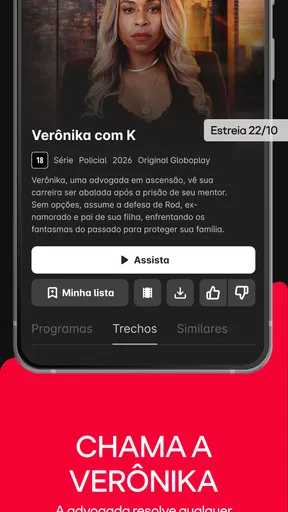
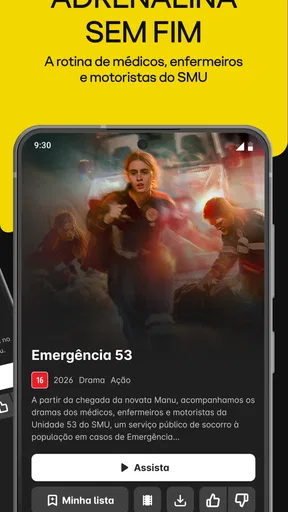

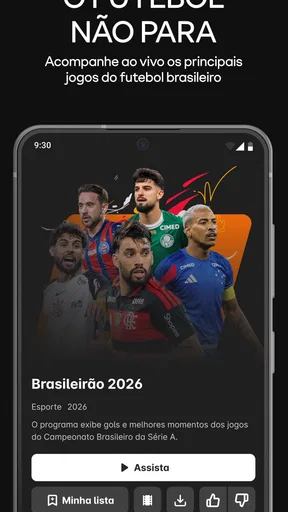
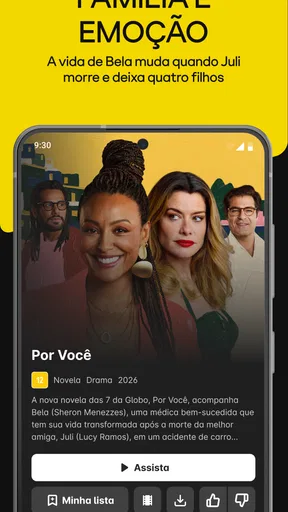
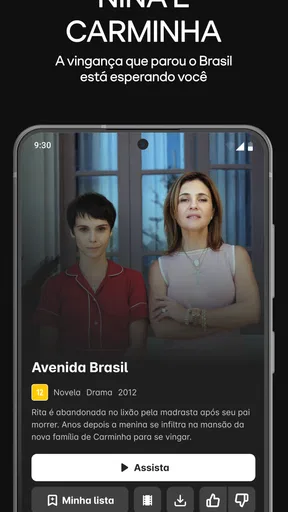
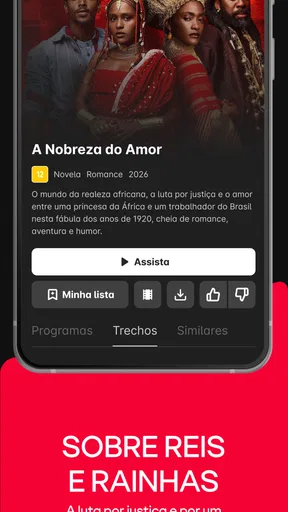
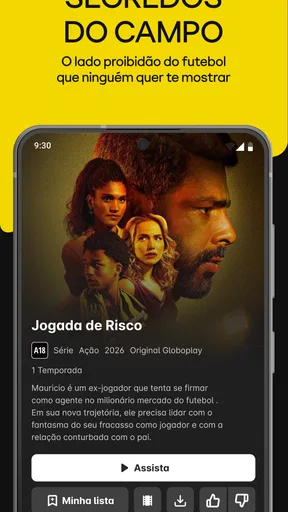
Our Review of Globoplay: Novelas, séries e +
 Analysis by Appyee
When streaming gets frustrating, the cause is not always obvious: a title may be hard to locate, playback can falter, or it may be unclear whether the app or the connection is responsible. I find Globoplay: Novelas, séries e + most useful when I treat it as a focused home for Brazilian entertainment rather than expecting it to behave exactly like every other streaming service. That small shift makes it easier to decide what to watch and what to check when something goes wrong.
Where people tend to get stuck
The first hurdle can be choosing a starting point. A library built around novelas, alongside series and films, can feel less familiar if your usual streaming routine is based on browsing a broad mix of international hits. I’d begin with a specific interest—a genre, a title someone mentioned, or a Brazilian story I want to explore—then use search before scrolling through recommendations. That gives the app a fairer test and makes the first session less meandering.
Another source of confusion is access. The app is free to install, but that does not mean every title is necessarily available without payment. Globoplay includes in-app purchases, and its entertainment catalog may involve different access arrangements. Before settling in for a long watch, I’d check what the selected title asks of me rather than assuming that installing the app unlocks everything. It is a small check that can prevent a frustrating interruption.
Finding a show and being able to watch it are separate steps, too. If a title does not appear where I expect, I try searching its name directly and checking the wording carefully. If playback is the problem instead, I avoid repeatedly tapping the same control; I first see whether other content opens and whether the connection is working normally. That simple split—discovery trouble versus playback trouble—helps narrow down what to do next.
Setup checks that save time
Globoplay is an entertainment app developed by Globo Comunicação e Participações S.A. It has been available since August 20, 2013, and it runs on Android 6.0 or later. The app is free to download, has a Mature 17+ content rating, and includes optional in-app purchases priced from $0.99 to $94.99 per item. I’d check the age rating and purchase details with care if the device is shared, especially when younger viewers might browse independently.
Before a trip or a long commute, I would test the parts of my routine that matter while I still have a reliable connection. If I plan to use downloads, I’d look for the relevant option on the content I intend to watch and confirm that the item is ready before leaving. I would not assume every title has identical availability or behave as though a download is complete until I can see it in the app. A quick pre-departure check is more useful than discovering a gap once the connection is gone.
It also helps to keep expectations realistic when moving between devices. A phone is convenient for a short break, while a larger screen is generally more comfortable for a full episode or film. If I switch devices, I check that I am using the intended account and that the title is accessible there before relying on a seamless handoff. That is not a complicated routine, but it avoids blaming the app for a mismatch between device, account, and viewing plan.
A calmer way to recover a viewing session
When something stalls, I work from the simplest checks outward. I first confirm that the connection is available, then try a different title to see whether the issue is limited to one item. If the rest of the app responds, I return to the original title and try again rather than repeatedly restarting everything. If the whole app seems stuck, closing and reopening it is a sensible next step; checking for an app update and restarting the device can follow if needed.
For a download that is not ready when expected, I would check the connection and the app’s own indication of download progress before starting the same action over and over. If I am short on time, streaming over a dependable connection may be the simpler fallback. For a trip, though, I’d plan ahead and verify the downloaded item before leaving. The useful habit is to decide which failure would be most disruptive—no connection or no time—and prepare for that one.
When a different service may suit you better
For a viewer drawn to Brazilian novelas and programming connected with Globo, this service has a clear identity that a general-purpose streaming app may not offer in the same way. Its catalog is also part of a much larger entertainment landscape, so I would compare it with the services I already use by asking what I actually want to watch, rather than assuming that one subscription can replace every other one. If my priority is a particular Brazilian title, Globoplay is a natural place to look; if I mainly want a broad mix of unrelated international releases, another service may fit that habit better.
That distinction matters for households, too. Someone who wants a steady supply of familiar novelas may get more value from keeping the app close at hand than a viewer who only watches an occasional episode. Conversely, if nobody in the household is interested in its particular programming, a large download count or strong average rating is not a reason by itself to keep using it. The app has an average rating of 4.4 from around 1.5 million ratings and more than 100 million installs, but personal fit still comes down to whether its content matches your evenings.
Unleashing a World of Content
When I first downloaded Globoplay, I was genuinely curious about what it had to offer. Spoiler alert: it’s packed with a treasure trove of entertainment. From classic Brazilian novelas to the latest series, the app boasts a diverse collection that’s hard to beat. It’s like having a passport to Brazilian culture right on your smartphone. Seriously, if you’re someone who loves dramas with intense plots, this app is your golden ticket.
What sets Globoplay apart is its exclusive content. You won’t find many of these shows on other platforms, which makes it feel special, almost like you’re part of an exclusive club. There’s something thrilling about diving into a series or movie that’s not mainstream but equally captivating. Plus, they’ve got a neat selection of international series and movies, which adds a nice variety to the mix.
User Experience and Interface
Now, let’s talk about the user experience. Navigating through Globoplay is a breeze. The interface is clean and intuitive, making it easy to find what you’re looking for without any hassle. The search function is pretty robust, so whether you’re looking for that one novela your friend recommended or just browsing for something new, you won’t be left in the dark.
One of my favorite features is the personalized recommendations. Based on what you watch, the app suggests new content, which is super handy. It’s like having a personal assistant who knows your taste in shows and movies. And let's not forget about the download feature, which is a lifesaver for watching on the go, especially if you’re traveling or have a long commute.
Streaming Quality and Performance
Streaming quality is another area where Globoplay shines. The video quality is top-notch, and I haven’t experienced any annoying buffering issues, which is a huge relief. Nobody likes their viewing experience interrupted, right? The app seems to handle high-definition content like a pro, even on a less-than-stellar internet connection.
Performance-wise, the app runs smoothly without any major glitches or crashes. It feels stable, which is critical for any streaming service. After all, the last thing you want is the app freezing in the middle of a cliffhanger moment.
Subscription and Accessibility
Let’s chat about subscriptions. Globoplay offers a free tier with limited content, but to truly unlock its full potential, you’ll want to consider the premium subscription. It’s reasonably priced and, in my opinion, worth every penny for the vast library you get access to. Plus, there are no pesky ads to interrupt your binge-watching sessions, which is a huge plus in my book.
Accessibility is also well thought out. The app supports multiple devices, so whether you prefer watching on your phone, tablet, or smart TV, Globoplay has you covered. The ability to switch seamlessly between devices is a feature I didn’t know I needed until I had it. It just makes the whole watching experience more flexible and enjoyable.
Making it work for an ordinary evening
A realistic use case is a quiet evening when I have time for one episode, not an entire season. I would search for a Brazilian drama I already know I want to try, check whether it is available to me, and save browsing for another day. That keeps the app’s strongest draw—its locally rooted storytelling—front and center instead of turning the session into an endless hunt for the perfect pick.
For a shared household, I’d also agree on who is choosing and what kind of content is appropriate before handing over the phone or tablet. The Mature 17+ rating is a useful reminder that this is not automatically a children’s viewing app. If younger family members need a service selected specifically for them, I would choose an option designed around that need rather than relying on casual browsing in an adult-oriented entertainment catalog.
The app is best for people who are curious about Brazilian television, already follow Globo programming, or want novelas to be a regular part of their viewing. It is less compelling if I only want a single familiar title and do not expect to return to the catalog. In that case, checking whether the program is available through a service I already use may be the more practical choice.
What I would check before paying
Because the app is free to install but contains in-app purchases, I would separate the download decision from the payment decision. First I’d browse the titles that interest me, then check what access is requested for those specific choices. The listed purchase range runs from $0.99 to $94.99 per item, so I would never infer the cost of a particular plan or program from the app’s general presence on my phone. I’d review the purchase prompt itself and make sure it suits my viewing habits before committing.
That approach is especially useful if I watch irregularly. A frequent viewer who returns for novelas and other Globo-linked entertainment may see a stronger reason to pay than someone who opens the app only once in a while. I’d also consider whether I actually use the features that matter to me, such as browsing recommendations or preparing downloads for travel. A service earns a place in my routine through repeated use, not simply because its catalog looks large at first glance.
Final Thoughts
In conclusion, Globoplay: Novelas, séries e + is a fantastic streaming service that offers something unique and engaging. Whether you’re a longtime fan of Brazilian content or a newcomer eager to explore, this app opens up a world of entertainment that’s both rich and rewarding. The combination of exclusive content, user-friendly interface, and high streaming quality makes it a standout choice in a crowded market.
If you’re ready to dive into a fresh, vibrant world of shows and movies, give Globoplay a try. Trust me, you won’t regret it. Happy streaming!
My practical verdict
My recommendation is strongest for viewers who have a real appetite for Brazilian stories and will open the app regularly. I’d start by searching for a title that genuinely interests me, checking its access requirements, and testing playback at home before making it part of a travel routine. If the catalog fits, the app offers a distinctive alternative to services centered on broad international browsing. If it does not, there is no need to force it into your rotation just because it is popular.
When trouble does appear, I would separate a content-access question from a connection or device problem, test another title, and only then restart or update the app. That is a calmer way to recover than assuming every hiccup means the whole service is broken. For me, Globoplay makes the most sense as a specific entertainment destination—particularly for novelas and Globo-related viewing—rather than a universal replacement for every streaming app. That clear niche is both its best reason to try it and the main question to answer before you settle in.
Verdict
Strengths of Globoplay: Novelas, séries e +
- Extensive library of Brazilian content.
- High-quality streaming with minimal buffering.
- User-friendly interface and navigation.
- Option to download content for offline viewing.
- Regular updates with new shows and features.
Limitations of Globoplay: Novelas, séries e +
- Limited content for non-Portuguese speakers.
- Subscription required for full access.
- Occasional app crashes reported by users.
- Geo-restrictions may apply outside Brazil.
- Ads present in the free version.
Similar Picks in This Category
View All
Google Play Games
Google LLC3.9

Netflix
Netflix, Inc.4.8

YouTube Kids
Google LLC4.2

Disney+
Disney4.4

Prime Video
Amazon Mobile LLC4.7

Steam
Valve Corporation3.2
Frequently Asked Questions
What types of content are available on Globoplay?
Globoplay offers a diverse range of content, including Brazilian novelas, series, movies, news, and live channels. It also hosts exclusive original productions and international content, making it a comprehensive streaming platform for users who enjoy a variety of entertainment options.
Is Globoplay available outside of Brazil?
Globoplay is primarily targeted at the Brazilian market, but it is available internationally in some regions. Availability may vary, and users outside Brazil should check the app store or the official website to confirm if the service can be accessed in their country.
What devices can I use to access Globoplay?
Globoplay is compatible with a wide range of devices. You can access it on smartphones, tablets, smart TVs, and through web browsers on PCs. Additionally, it supports streaming devices like Chromecast and Apple TV, allowing for flexible viewing options.
Does Globoplay offer a free trial or subscription plans?
Globoplay typically offers a free trial period for new users, allowing them to explore the content before committing. After the trial, users can choose from various subscription plans, which may include monthly or annual options. Check the official site for the latest pricing details and offers.
Can I download content for offline viewing on Globoplay?
Yes, Globoplay allows users to download select content for offline viewing, which is perfect for users who want to watch their favorite shows and movies without an internet connection. The download feature is typically available on mobile devices, ensuring convenience for users on the go.
